Play your own cartridges on today's TVs. An FPGA console for MEGA DRIVE* cartridges
Not software emulation: the original circuits are reproduced in an FPGA. Insert a cartridge from the top and enjoy a clean picture on your TV through DV output.
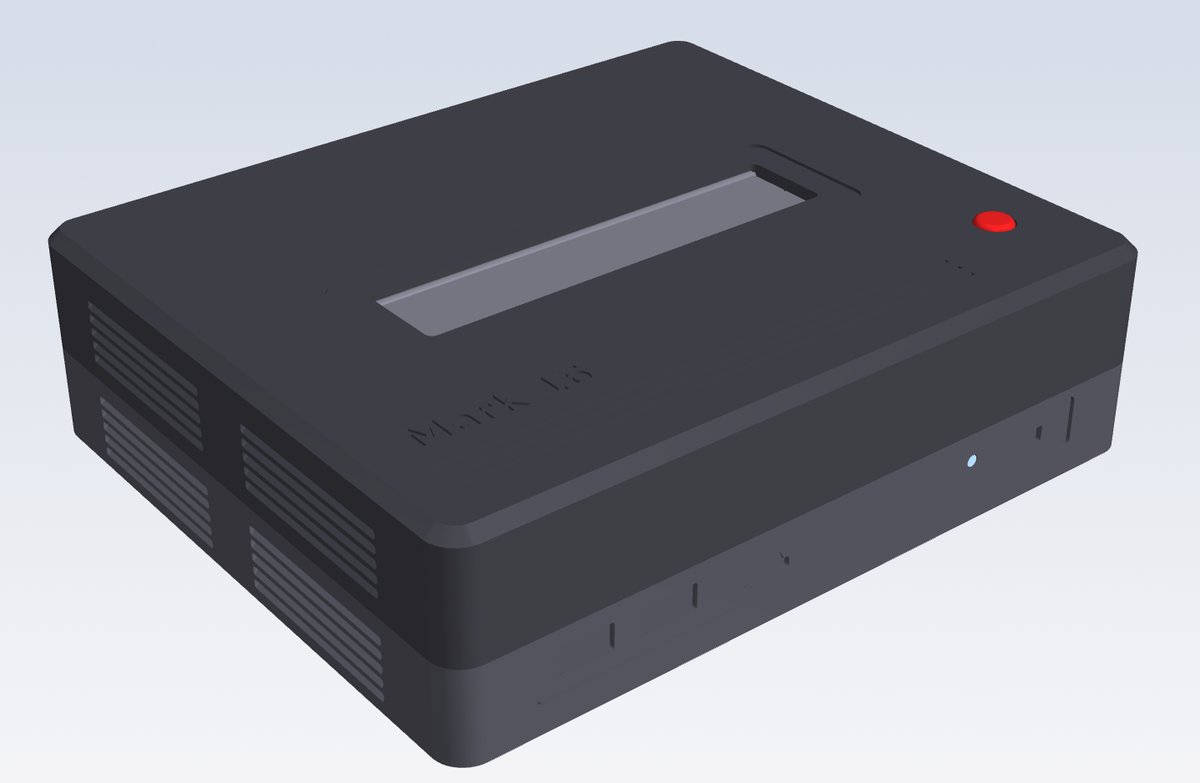
* 3D image of the case in development. The actual product may differ.
Features
Your real cartridges
Top-loading design for MEGA DRIVE* cartridges. Just insert your cartridge from the top and play. Overseas GENESIS* cartridges fit as they are.
DV output for picture and sound
One cable carries both picture and sound to your TV or monitor, for a sharp image on modern screens.
Save states
On development units, you can store your progress in slots and resume later. Save data and screenshots are stored on a microSD card. Some software still has problems.
USB controllers
Two USB controller ports for two-player games. Plug in a wired Xbox controller (XInput) to use it as an analog controller. On supported games such as After Burner II, the stick works like an XE-1AP analog pad; in regular games, it also works as the D-pad. The triggers are analog too: in supported games, RT (and right stick up) raises the throttle, and LT lowers it. Xbox Start (≡) is START, and the center Xbox button opens the console menu.
Improved through updates
Firmware can be updated from a microSD card, via Settings → Console update. Support for Master System* and other 8-bit systems is also planned.
Install software you own
Play software you own from a microSD card (root folder /MARK16) or from the console’s built-in flash. The menu’s “Save cartridge” item can store an inserted cartridge to the card or to built-in flash. The Mark16Manager PC app (v0.2.1, Windows / Apple silicon and Intel Mac) helps you organise the card.
* Using illegally downloaded data and distributing game data are prohibited by law. Please use only software you legitimately own.
Mark16Manager PC app
A companion app for organising the console’s microSD card on your computer. Add games, edit thumbnails, intros, maker and release date, back up saves and save states, export selected screenshots at 4×, and delete unused firmware, screenshots and save data. A v0.2.1 beta for Windows and Mac (Apple silicon and Intel) is available for Mark 16 development units.
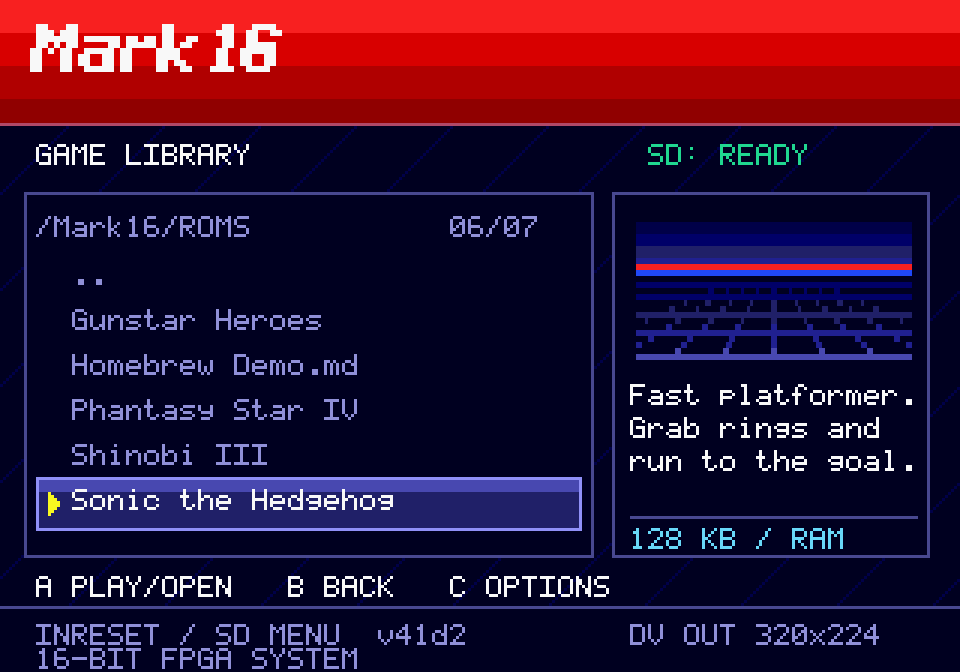
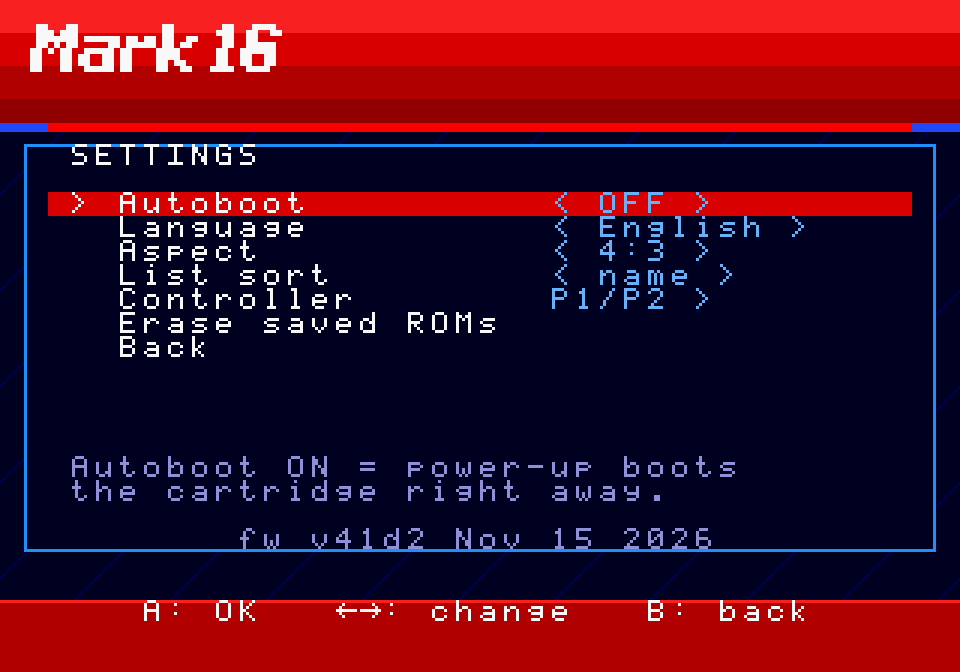
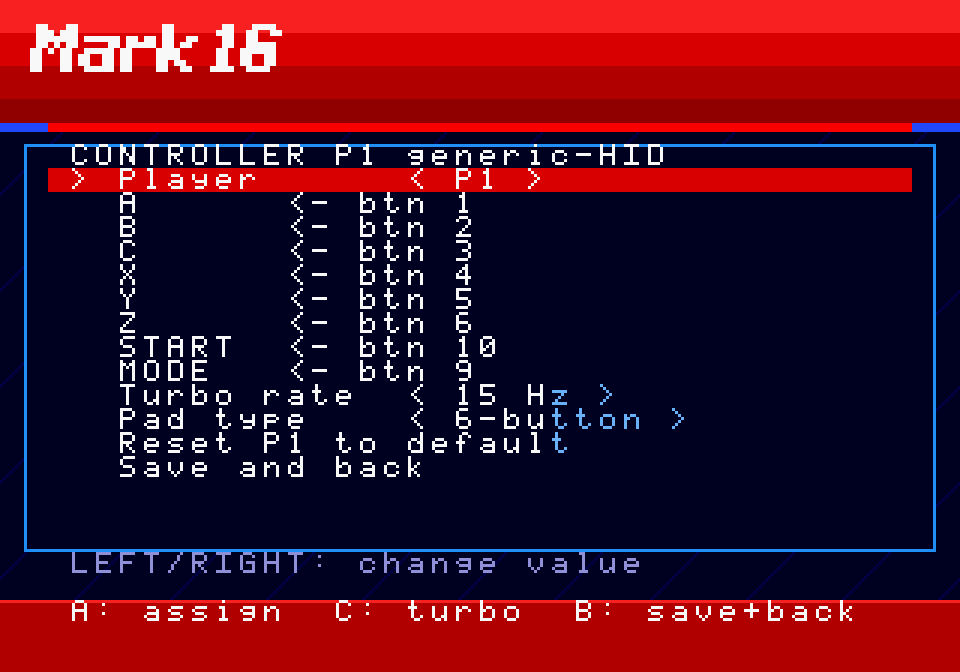
The development menu has “Boot cartridge”, “Game list”, “Save cartridge”, and “Settings”. Firmware updates are applied from Settings → Console update. You can switch between Japanese and English. The screens below are from an earlier build (v41d2); current labels and layout have changed.
Game library (microSD): English titles and intros. The default thumbnail is a retro horizon.Settings: aspect ratio, language, auto boot and more. The version line shows fw v41d2.Controller settings: button mapping, turbo, 3/6-button mode
* Screens are from development and may change in the final product. Game names in the list are for illustration; game files are not included. Rights in those titles belong to their owners.
Aspect Ratio Settings (Illustrated)
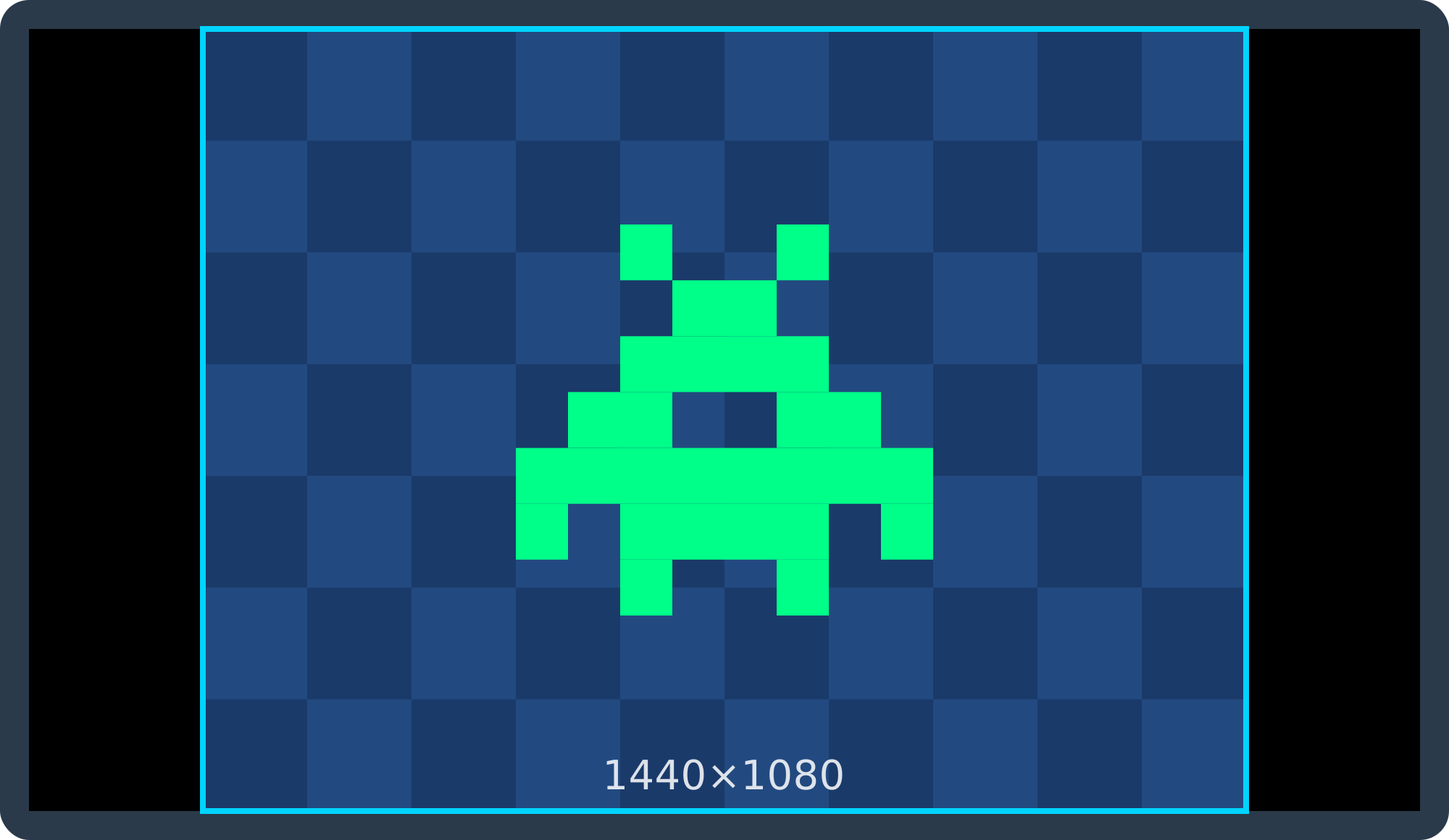
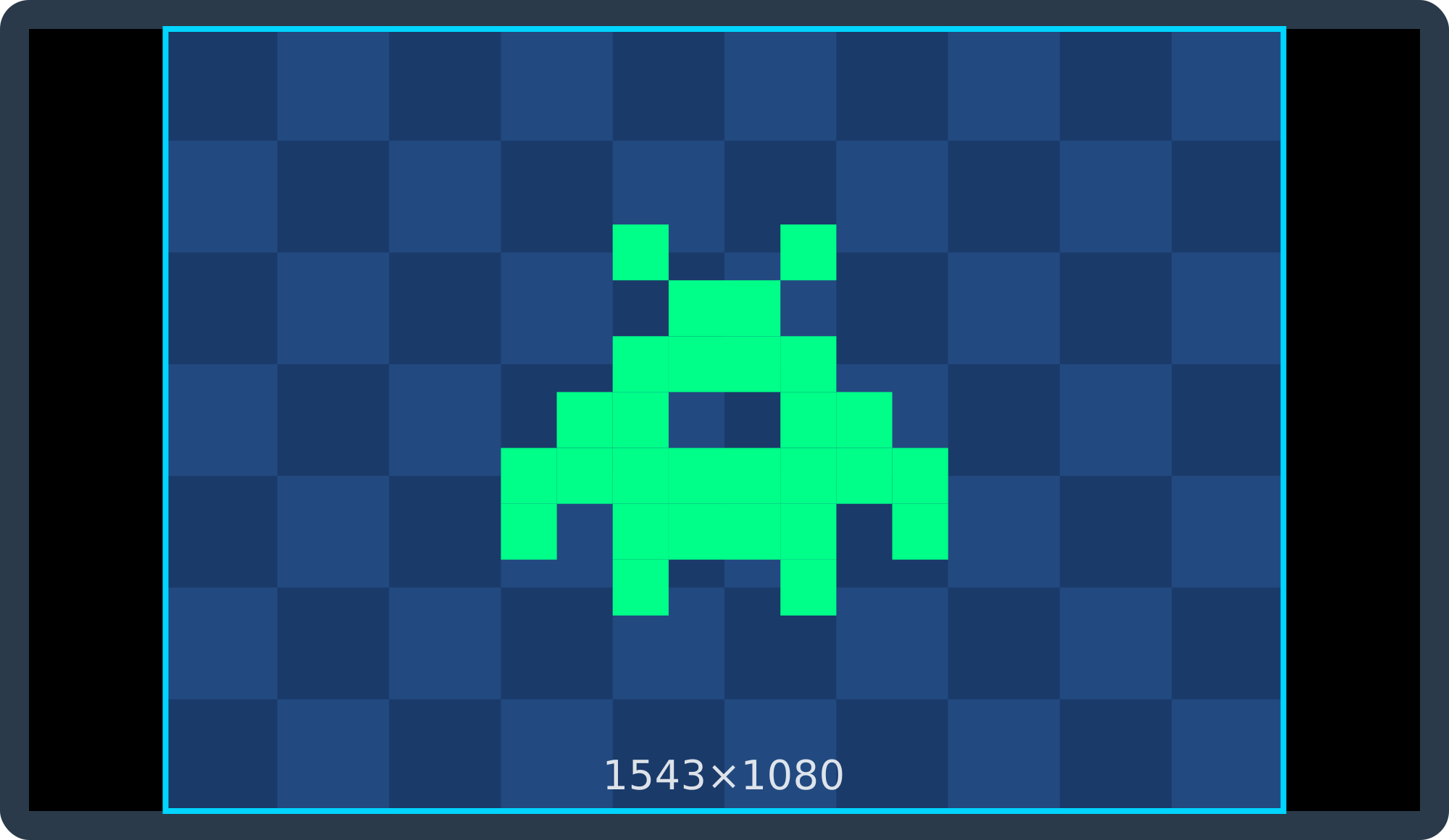
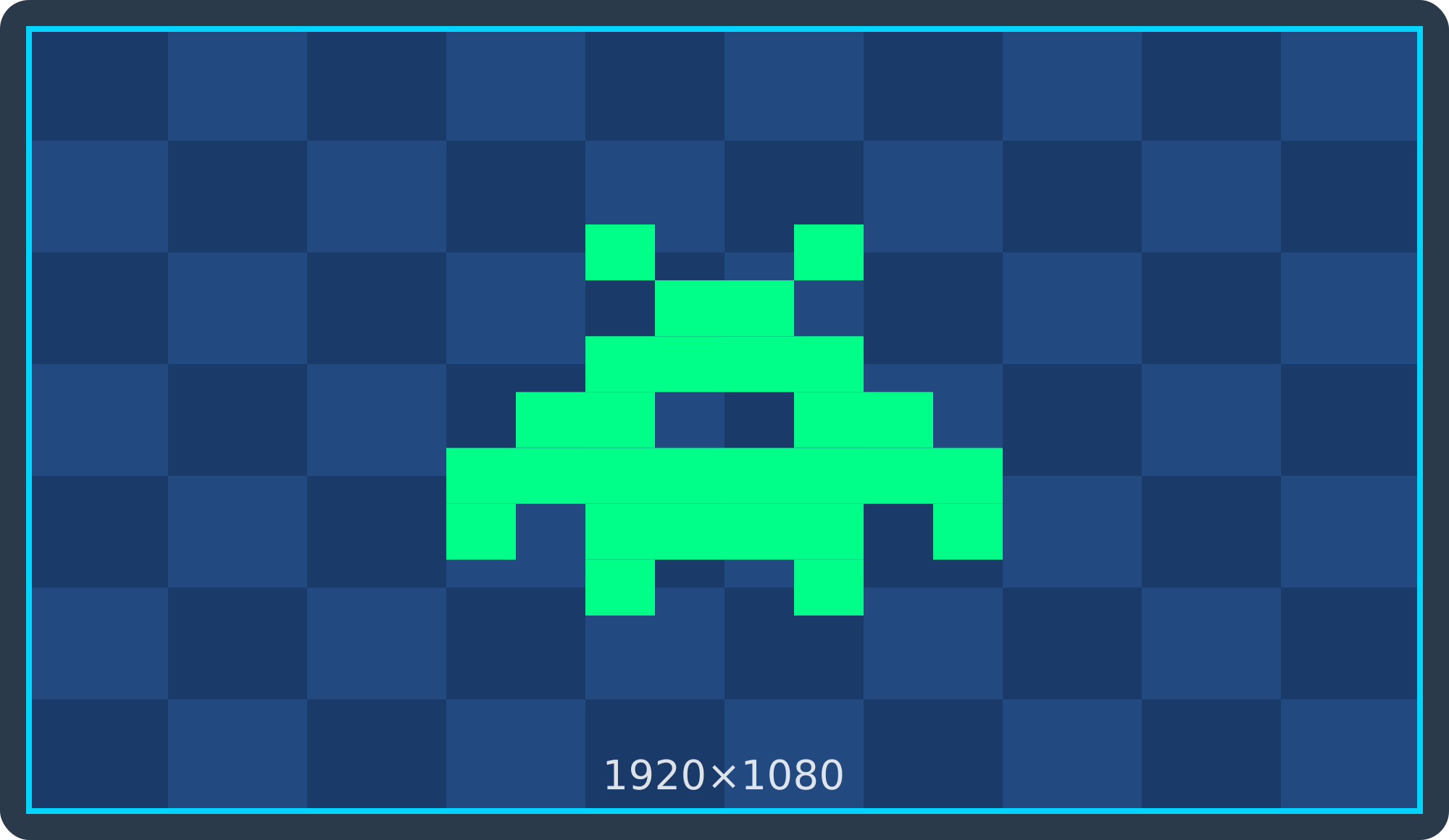
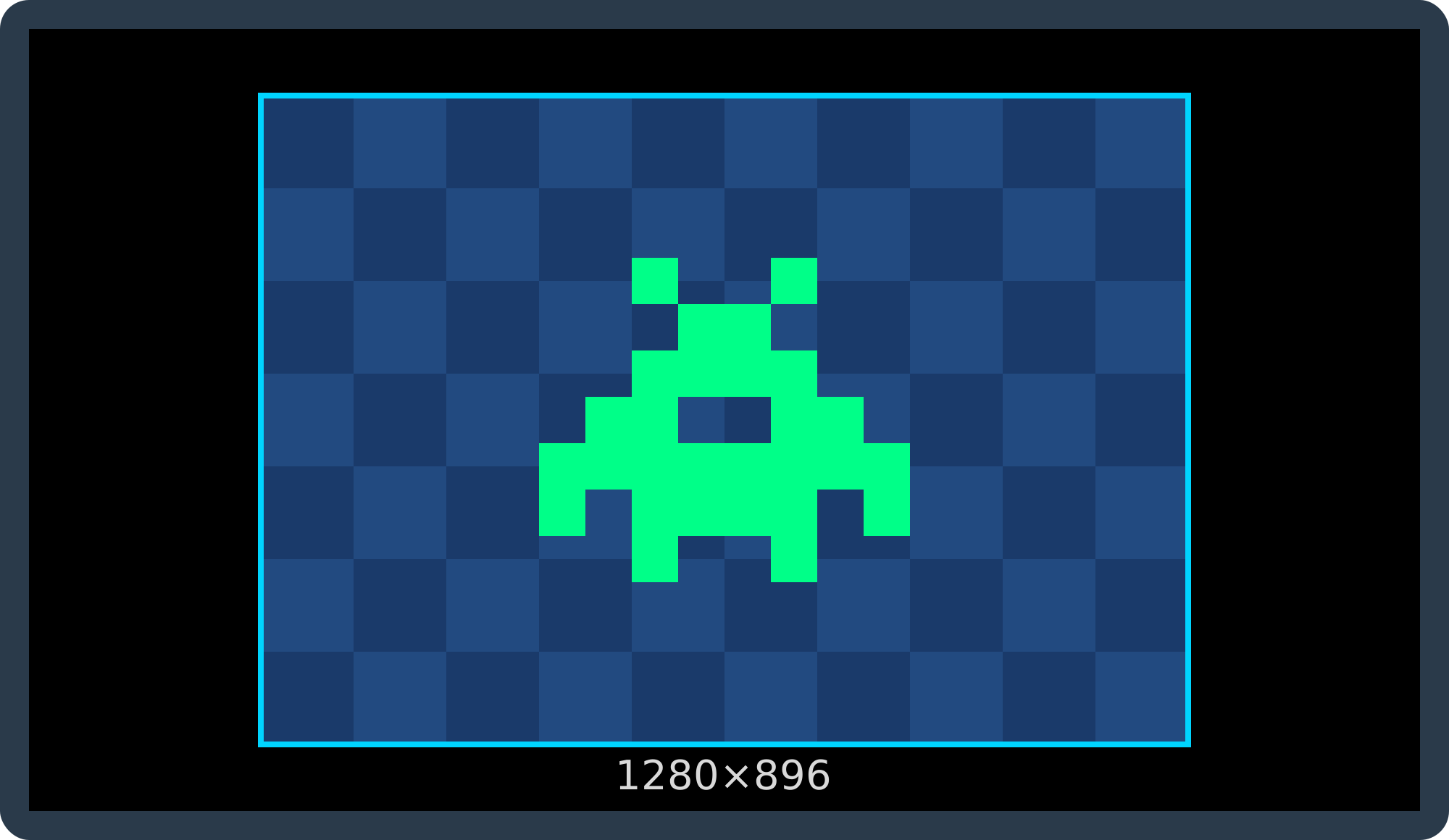
Mark 16 lets you choose from these four aspect ratios in its menu. How a 320×224 game picture appears on a 16:9 TV (1920×1080). The blue frame is the game picture; black areas are borders.
4:3 (Standard)
The original CRT TV look, with black bars on the left and right.
Recommended for: playing with the authentic look of the era
1×1 Square Pixels
Each dot stays square, scaled to fill the screen height. The scale isn't a whole number, so dot widths can vary slightly.
Recommended for: seeing pixel shapes accurately
16:9 Stretch
Stretched to fill the whole widescreen. No black bars, but the picture is wider.
Recommended for: filling the entire screen
Sharp (Integer Scale)
Scaled only by whole numbers (e.g. 4×). Every dot is the same size for the sharpest image, with larger black borders.
Recommended for: the crispest pixels above all
Main specifications (planned)
Method
Circuit reproduction in FPGA
Supported software
MEGA DRIVE* / GENESIS* cartridges (Japanese and overseas), and games on a microSD card Master System* and other 8-bit systems(planned) See the compatibility list for titles checked on hardware
Cartridge loading
Top loading
Video / audio output
DV output (video + audio)
Controllers
USB ports × 2 (two-player)
Power
USB Type-C
Storage
microSD card (root folder /MARK16; saves, screenshots, updates) and the console’s built-in flash (for games)
Functions
Save states (slots), screenshots, firmware updates from microSD
Menu languages
Japanese / English
Sold separately
AC adapter Controller(bundling under consideration)
Specifications and design are under development and may change without notice. Current development and promotional units use the v2 main board.
The AC adapter is not included (sold separately). Bundling a controller is under consideration.
We do not guarantee that all software will work. See the compatibility list for titles checked on hardware.
This is an independent INRESET product, not affiliated with any game console maker.
Crowdfunding planned
Crowdfunding for the console is planned for the first half of 2027.
Most MEGA DRIVE* / GENESIS* software runs, but we do not guarantee that every title will work. Titles checked on hardware are listed on the compatibility list.
Can I use overseas (GENESIS*) cartridges?
Yes. Overseas cartridges fit as they are. * We do not guarantee that all software will work.
How does it connect to a TV?
Through DV output. One cable carries both picture and sound to your TV or monitor.
Is it an emulator?
No. It is not software emulation: the original circuits are reproduced in an FPGA.
How much input latency is there?
We have a dedicated measurement feature for latency. We will publish results measured on the prototype on this site later.
When is the release, and what is the price?
Crowdfunding for the console is planned for the first half of 2027. The price has not been decided yet. We will announce further details as soon as they are.
Is a controller included?
Mark 16 supports USB controllers (2 USB ports). Whether to include a controller is under consideration.
Can I use an Xbox controller?
Yes. Plug in a wired Xbox controller (XInput) to use it as an analog controller. On supported games such as After Burner II, the stick works like an XE-1AP analog pad; in regular games, it also works as the D-pad. The triggers are analog too: in supported games, RT (and right stick up) raises the throttle, and LT lowers it. Xbox Start (≡) is START, and the center Xbox button opens the console menu.
Does it support save states?
Yes, on development units. You can store your progress in slots and resume later. Some software still has problems. Saves and save states can be backed up to a computer with the PC app.